
Affinity Photo and Designer don’t come with as many brush packs as Photoshop. The good news? You can easily import Photoshop ABR brushes into Affinity to unlock thousands of creative options.
If you are using Affinity as graphic program, you might not find many brushes specifically designed for it. However, there are tons of Photoshop brushes that you can buy or download. They usually come in .abr format, and luckily, you can use them. This allows you to have a wide range of options when it comes to brushes you can use in Affinity.
How to Import Photoshop Brushes in Affinity Photo
Affinity Photo (and Affinity Designer) allow you to import .abr files in a very direct manner. Depending on where you are getting your supplies, they might come in a zip file. If that is the case, start by unzipping them. Once you have the .abr file extracted, it is time to import it.
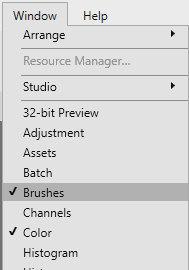
In your Affinity program, open the Brushes panel. If it is not open, you can access it by going through Window > Brushes.
Then, in the Brushes panel, click on the three lines
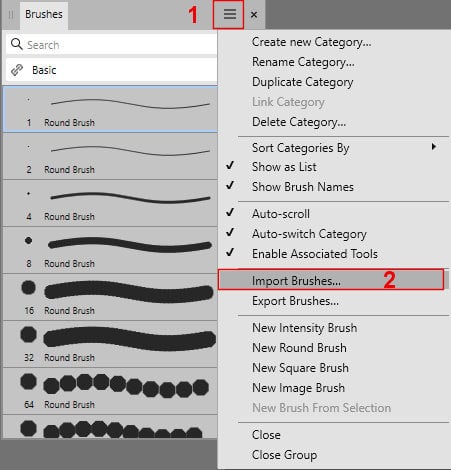
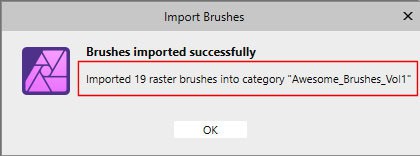
Once you click on the Import Brushes..., the program will complete the import and give you this dialog window. Notice that it will inform you of the name of the category that it just created.
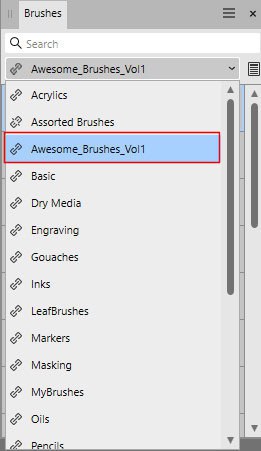
And here is that same category in the Brushes panel.
Adjusting Brush Settings in Affinity
An .abr file includes a series of brushes. That can range from a handful to hundreds. In my current example, it had "only" 18 brushes.
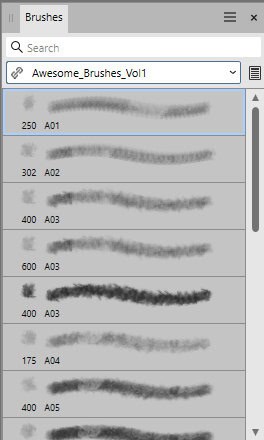
Each brush also brings varied settings. Once I double-click on a particular brush, it will open the Settings for that brush.
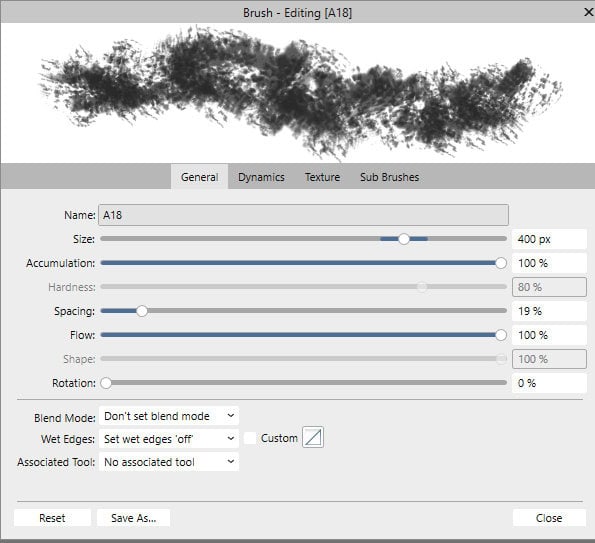
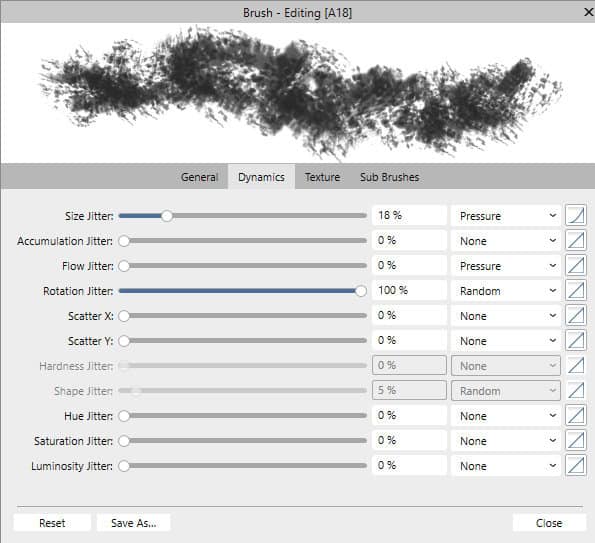
Of course, you can change those settings if you want. You can add more dynamic settings and it will depend on what effect you want to achieve.
Where to Find Free and Premium Photoshop Brushes
Since ABR brushes are native to Adobe, you can search, online, for "Photoshop brushes", and you will surely find many. Among some known and popular sources, you can use the following:
Creative Fabrica
Brusheezy
DeviantArt
With just a few clicks, you can use Photoshop brushes in Affinity Photo or Designer and expand your design possibilities. Explore free resources like Brusheezy or Creative Fabrica, and don’t forget to check our Outside Resources for even more brush collections.”