
 Installation of Affinity
You are just starting, so we will go slow at first. Not too much work for you. Let's just get things set up properly.
DOWNLOAD your copy of Affinity, if you don't have it yet (choose whether you want to use the Mac or Windows version).
You don't have to purchase anything because it is FREE.
What download do you need? It will depend on the platform you will use it on.
If you will be using Affinity on a Windows computer, choose one without the ARM.
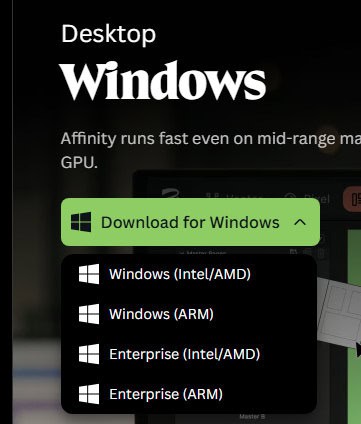
If you are using a Windows tablet, choose one of the next two (with ARM in the name). If you will be using a Mac computer, there is only one download button, and if you plan to use it on an iPad, it is not yet available but version 2 is available for free in the App Store.
INSTALL Affinity. Don't worry, it is not complicated. Just double-click on the file you downloaded and follow the prompts.